Operaciones · Feature

Field Service: Dispatch Jobs, Get Photos and Reports from WhatsApp, See It All in Real Time

For teams working outside the office: home-service technicians, sales reps on the road, drivers, inspectors. Assign jobs with a location to the field rep's phone, receive photos, signatures and completed forms, and watch a live map of who's where. AI optimizes routes, groups nearby jobs and flags delays.

Advanced 12 min read fieldworkcampooperativosrutaGPS
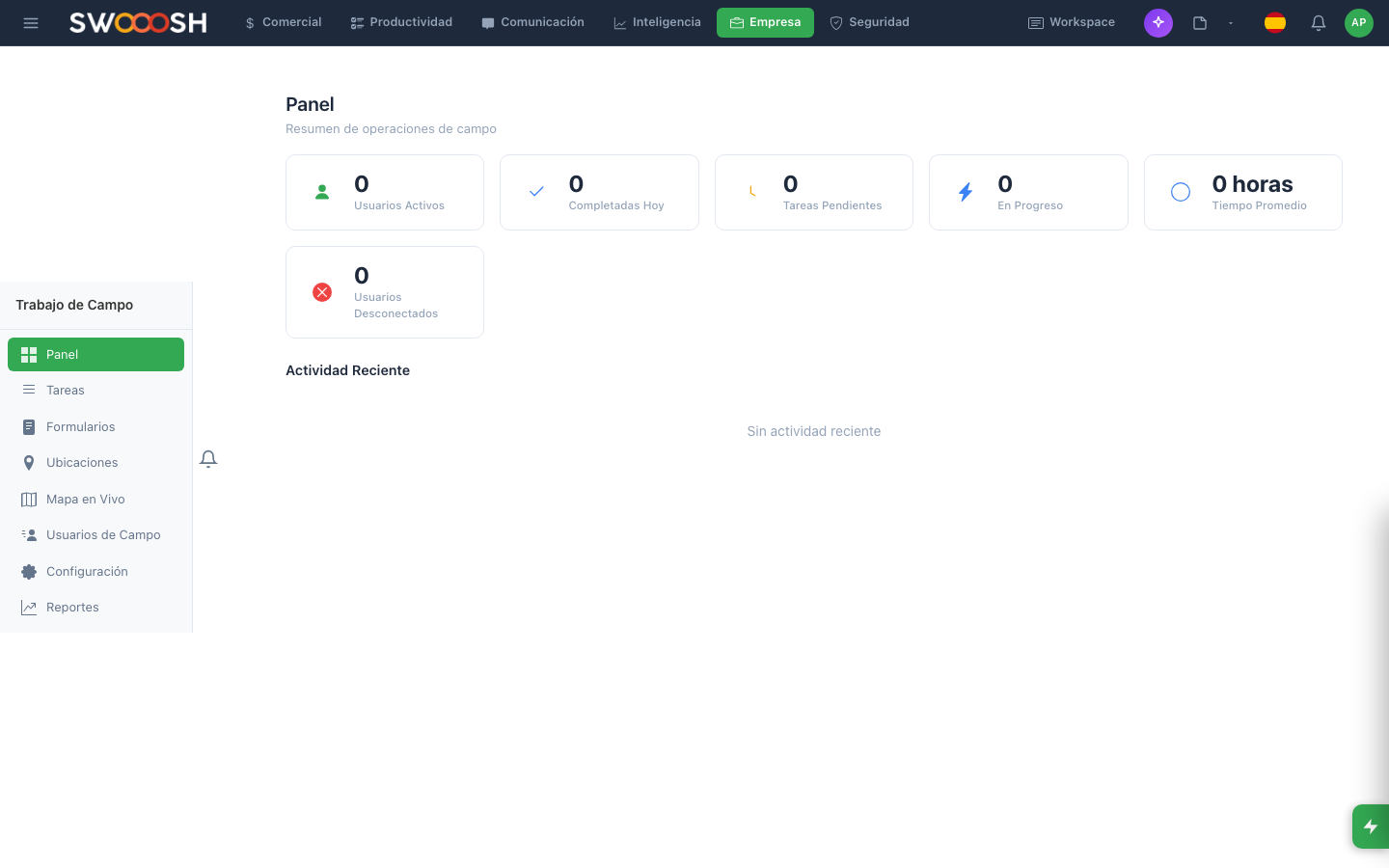
Screenshot of the Field work module in Pilot Desk
In 30 seconds
  • For teams that work outside the office: technicians, reps on the road, delivery drivers.
  • You assign tasks with a location. The field worker receives them on their phone.
  • They fill out forms in the field (photo, signature, data).
  • You see where they are and what they did in real time.

What is Fieldwork?

If your company has people who work out on the road (on-site technicians, a sales force on the move, delivery drivers, inspectors), this module coordinates that. You assign, they execute from the phone, you see the result.

Assigning a field task

  • The 'New field task' button.
  • Title and description.
  • Location: an existing client or a manual address.
  • Assigned field worker.
  • Date and tentative time.
  • Associated form (optional): what they need to fill out when they finish.

Mobile forms

You create forms with: text fields, numeric fields, required photos, finger signature, automatic GPS, barcode scanning. You attach it to a task and the field worker fills it out when closing the visit.

Live map

A map view with each field worker in real time (if they have GPS on). Useful for coordinating emergencies, optimizing routes and supervising.

Example: a technician's day

Example

Your service technician has 6 visits assigned for today.

  1. Carlos opens Pilot on his phone. He sees 6 tasks with an address and time.
  2. He goes to the first one and completes the work.
  3. He closes the task: fills out a form with a before/after photo, the client's signature, notes.
  4. He marks it complete. The next one appears at the top.
  5. Back at the office, you see the progress in real time.
  6. If an emergency comes up, you assign him a new task — he gets a push and sees it on his phone.

6 visits coordinated. Full traceability. The client gets on-time service.

How it connects

How it connects: Fieldwork

If something doesn't work

If something fails

The field worker says they didn't receive the task.

Check that they have an active session in the app and notifications allowed. Ask them to open the app and refresh their list.

I don't see their location on the map.

GPS requires the user's explicit permission on their phone. Ask them to turn it on from OS Settings → Permissions → Pilot.

Integrations that power this feature

Connect Pilot with the tools your team already uses. The AI orchestrates between them without you switching screens.

Frequently asked questions

Do my field reps need to download an app?
You have two options. One: a dedicated mobile app (iOS and Android) with the full experience — map, GPS, offline forms, push for new jobs. It's the best fit for reps in the field all day. Two: a WhatsApp Business integration — the rep gets the job over WhatsApp with a clickable address, sends a photo and comment in the same chat, and it's recorded in Pilot. Ideal for occasional reps or when you'd rather not have them install another app. Many companies combine both.
Is GPS required? What about privacy?
It's not required and it's explicit opt-in per rep. GPS only turns on if the rep grants permission on their phone. When active, their location shows on the live map during their work hours (configurable). Outside those hours, no tracking happens. Location history is kept only as long as needed to audit the job, then purged. It's an operational coordination tool, not personal surveillance — and we make that explicit in the settings.
Does it work without internet out in the field?
Yes. The mobile app has an offline mode: the rep downloads the day's route at the start (all assigned jobs with addresses and forms), works without signal in low-coverage areas, and syncs automatically once back online. Photos are stored locally and uploaded when the connection returns. This is essential for reps entering rural areas, basements or parking garages with no signal.
How does the AI optimize routes?
When building a rep's day, the AI looks at where their jobs are, the tentative timing (some jobs have a fixed window, others are flexible), expected traffic on each leg, and their start and end points. It proposes a visit order that minimizes transit time while respecting time windows. You can accept the proposed order or change it manually. For larger fleets (10+ reps), optimization is fleet-wide — it groups nearby jobs onto the same rep even if they were originally assigned elsewhere.
How much does it cost?
Pricing depends on the number of active reps (those receiving jobs), monthly job volume and integrated modules. For small fleets (3-5 reps) there's an accessible plan; for large fleets across several countries, a custom plan with volume discounts. Contact us for a proposal tailored to your case.

Do you know where your field reps are right now?

Book a 30-minute demo. We'll set up a test fleet with jobs, locations and forms, and show you how operations look from the office and from the rep's phone. Then we'll build the plan that fits your company.

Request a demo